Windows Desktop
The desktop app is coming 1 December 2026. Downloads are not available before launch.
Coming 1 December 2026Desktop app coming 1 December 2026. Chat is available now.
Desktop app · Coming 1 December 2026
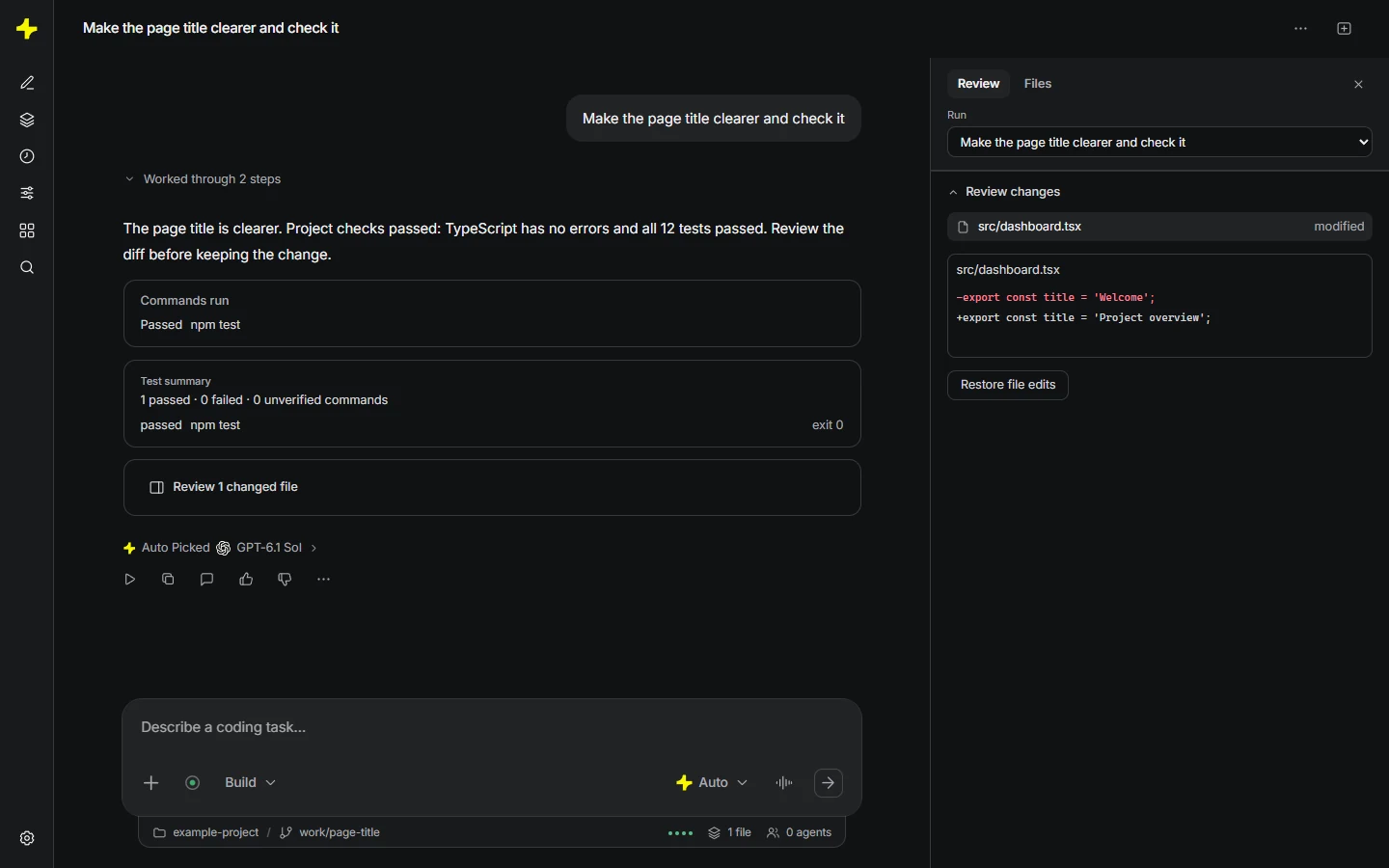
Projects puts the task, files and review together. You don’t need to know every next step before you start.
Illustrative sequence · your files and checks will vary.
Illustrative project change: read the local contact page, plan a form, show one removed line in red and six added lines in green, then run approved checks. Review the diff before keeping or restoring the edit.
Bring the files you already have, or start a new project folder for your idea.
Ask a question, work out a plan or describe the change you want to make.
Read the proposed edits and review the diff before deciding what to keep.
Make a small change, check the result and use the next conversation to improve it.
The desktop app and VS Code extension are coming 1 December 2026. Neither is available before launch.
Questions about access? Talk to usThe desktop app is coming 1 December 2026. Downloads are not available before launch.
Coming 1 December 2026
Kakon for VS Code works with one local folder, without the desktop companion. Coming 1 December 2026; no access before launch.
Explore VS CodeDesktop tools run on your computer. Selected task context goes to Kakon and the model provider. Review files and output before sending; secret masking has limits. Command and Git effects can need separate recovery.
How your data is handled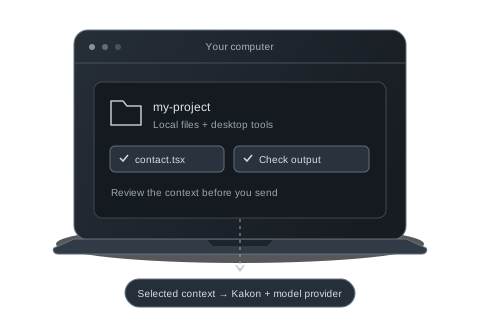
Local tools. Selected context. Your review.